Featured

The Fashion State

“High end fashion isn’t just fashion, it’s style”

Being Fashionable is a must

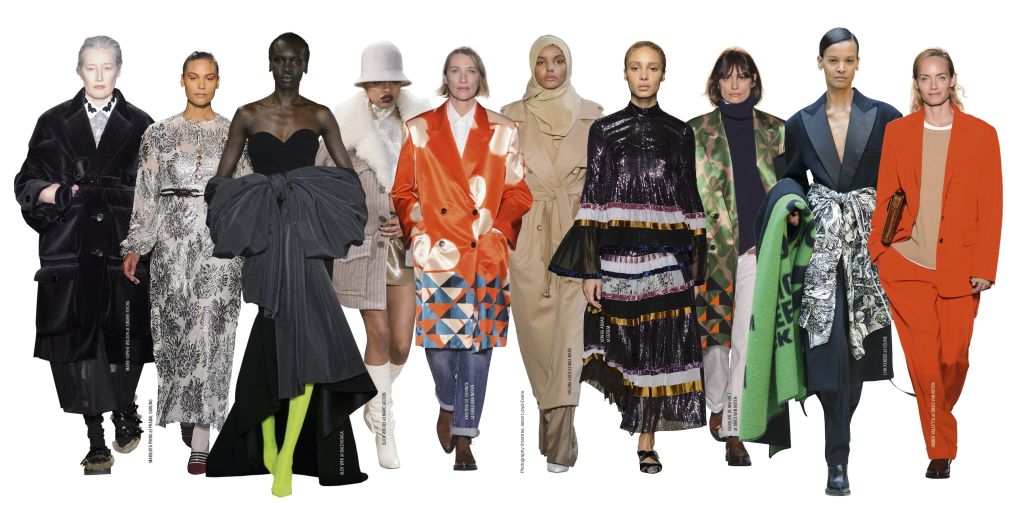
My name is Malyk Ervin and I am a senior here at the University of South Alabama. I am 22 years old, born and raised in Tuscaloosa, Alabama home of the Crimson Tide. Of course my city is a huge football town but personally I dislike Alabama as I am a Auburn fan. Go Tigers!!!! I created my first blog to give you a since of my world. Fashion to me is a way for someone to express themselves in their own way which is unique to me. Styles can come in a number of ways which in turn makes fashion beautiful. Fashion has been around for centuries as it has grown and evolved into a great culture look. Different cultures have their own styles giving off different vibes.
How might someone in your potential profession or field use a blog?

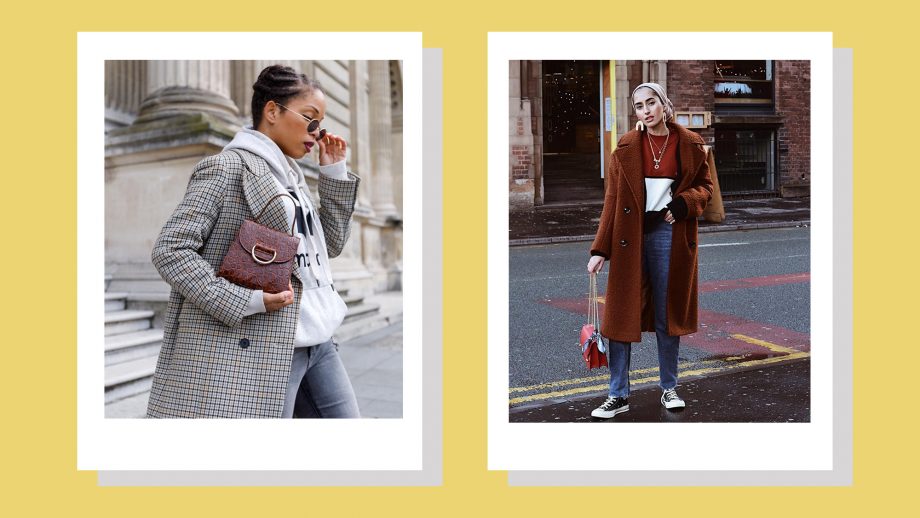
Blogs might indeed be essential to people in my field simply because the information a blog might give off to an audience could be very beneficial. Blogs have a lot of different information and ideals that may help a particular person or group of people. Blogs are kind of new to me in a sense of understanding how blogs work effectively. I don’t necessarily read blogs as much but when I do, I typically aim for sports and fashion. A blogger by the name Penny Goldstone has a unique blog page as she gives great examples of fashion and how fashion may influence people who are interested.
What’s the purpose of a blog, in your own words?

In my opinion I think blogs are made for the public eye to get a better understanding something that may be complex. I think it’s a better platform for people to connect about a specific topic. With the ability to reply to blog post gives the bloggers a view from the other side of the fence. This indeed could be beneficial towards the blogger giving them new ways to approach the blog. Blogs also gives great information about particular topics that may relate to you. With blogging being seen by many people around the world you could also make a diary blog to wheres you can release your thoughts onto while also receiving feedback.
Living in a Virality World

“Some of the creative things we create go unnoticed, but it’s not the end of the world”

– Malyk Ervin

What does the field of communication contribute to our understanding of virality?

Communication plays a huge role in virality simply because communication travels all thru out the world among the web. The web has many outlets and users that content is pretty much seen all the time. You have to communicate in this day age to be able to connect with other people. This form of communication may come in a variety of different ways. These forms may include videos, quotes, or even images. In the communication world virality plays a huge roll that cannot go unnoticed. https://www.researchgate.net/publication/262165287_The_paradigm_of_Viral_Communication On this link a article is available to show you how communication is broke down into different aspects of being viral. This diagram has the strengths and weaknesses of communication in the viral world.

How might an understanding of virality help someone in your chosen profession/career?

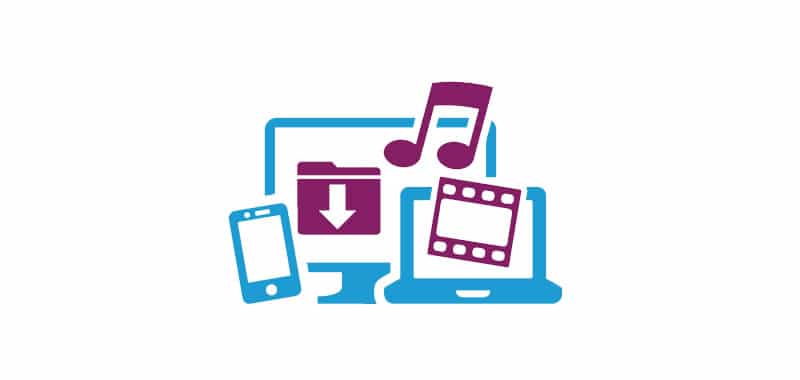
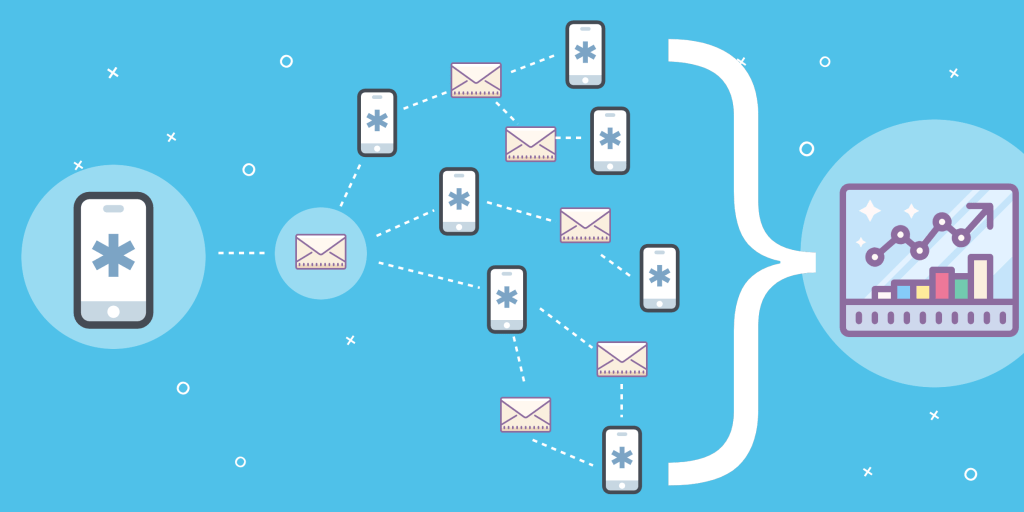
The image above shows how virality would spread thru different devices and how each user may go about using the platform to expose their content. Understanding virality in my profession/ career may help that person get their feet of the ground. To be able to connect with all kinds of people will only benefit you in becoming a great broadcaster. Creating content that is easy to understand will also help in the understanding of how virality actually works. https://neilpatel.com/blog/science-of-virality/ The link i added here will show how virality actually works in the marketing world. This knowledge will help along the way as you become more involved in your career/ profession.

Transitioning into online classes

Everything isn’t always gonna workout. You just have to remain strong”

– Malyk Ervin

How would CA 260 be different if it were taught entirely online (maybe as a MOOC)?

I think this course would be different if it were solely online because the hands on aspect of this class is the best way to learn in this class in my opinion. I think many students may struggle if the class is to big simply because they may need precise help when creating a website or blog post. Answering questions thru via text, email, or zoom may still be unclear to student. https://www.thoughtco.com/problems-with-online-classes-1098085 This site gives you intel on how MOOC may be difficult and hard to understand. Being online requires more focus opposed to a classroom setting which I think is best way. to obtain knowledge for me. Feedback also plays a huge factor in being taught online as good critical feedback is important when you are crafting to become great. I don’t think I wouldn’t enjoy it as much as I do because I think it would be much harder for me. The thought of actually having class at that magnitude would interest me in way that all these students from around the world is in one big class. https://www.infoprolearning.com/blog/advantages-and-disadvantages-of-moocs-massive-open-online-courses-for-learning/ I also included some of the advantages that a MOOC brings to the table. Some students may prefer this method of learning opposed to sitting in a classroom. Personally I would get less out of it as a student because that isn’t my first choice when deciding how I would want to learn the material. Being a more hands on student I would rather have a professor there on hand to guide me if I am having problems.

MOOC Platforms

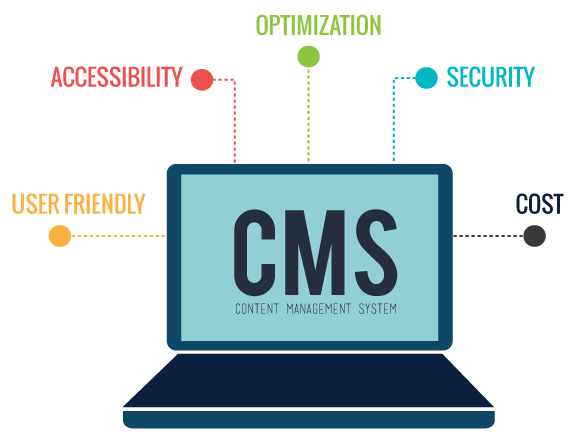
What is a benefit of using a CMS?

“Never be afraid to be you even in the toughest times”

– Malyk Ervin

Imagine that you have been asked to recommend a CMS to a local business which is planning to build a website. Using the information you learned from the module and additional resources, recommend one of the three discussed and explain why you would recommend it.

The CMS that I would recommend to a business would have to be the multi user support. This system can be used for large websites that may contain a-lot of material. I think this would be a great fit for a big business to use. This system has multiple services, features, and a blog. With a CMS, users can create a site that is easily manageable. From there you can assign each user to a particular role. http://blog.entheosweb.com/tutorials/learn-how-to-add-a-cms-content-management-system-to-your-static-html-website The site I added here gives a video breakdown on how to install a CMS to your website. Also with that information given on the site, it gives great feedback and different templates you can use. While doing research on other sites that may be helpful, I came across this website that shows the 8 best platforms to potentially start a CMS on https://www.hostinger.com/tutorials/best-cms. Along with the best platforms, the site gives detailed descriptions on how each platform works and it’s benefits on that particular form. From the business aspect of this CMS, this system is perfect for you if you plan to update product pages and publish blog articles on site.

Are Infographics beneficial to your blog post?

“Sometimes the most beautiful picture goes unnoticed”

Do you think infographics are useful?

I think infographics are very useful to a blog because of the simple fact that a infographic gives great detail and instruction on a particular topic. There are four different types of charts which are conceptual, declarative, data driven, and exploratory. Each chart is beneficial in it’s own right depending on what information is needed. https://www.webfx.com/blog/web-design/40-useful-and-creative-infographics/ This link shows 40 different useful and creative infographics that may be helpful to someone who is looking to use the info graphic on their webpage or blog. It also shows you how to create your own infographic.

What helpful tips can you give to someone who is new to the process of creating infographics.

For someone is new at creating infographics a few helpful tips that I would suggest are, first look around. By looking around and seeing different infographics will not only guide you but also help you become great during the creation process. Another tip would be coming up with your own idea to begin with. Having a idea on how you want to set up your infographic will only make the process a bit easier. Not having a idea or which direction to go may be difficult for you. You want to make sure your data is top notch when creating your infographic. Having the correct and best information will only insure you that your infographic can be useful to someone in need. http://socialmarketingwriting.com/7-tips-for-creating-successful-infographics/ This site also has other tips that may be useful to you as you begin your journey of creating your info graphic.

Using images, audio, and Video on a blog

“It’s easy to give up during hard times, but the strong only survive”.

What can you to do make sure your blog does not contain any copyright-protected material?

When creating your blog post you need to make sure the content you are displaying does not belong to anyone else. You can do this by completing a few steps. You can use the terms of use and disclaimers which is a website policy that protects your blog content. This will allow you to post on your blog while being protected by any problems that may occur. To create the text for your terms you might want to hire an attorney who understands websites and how they work. https://www.socialmediaexaminer.com/how-to-protect-blog-content-from-copyright-infringement/ This website gives great insight on how to protect your blog and the necessary steps needed to complete the protection of your work. I plan to really stay away from any content that has protection on their information. I believe their is enough information out to still be able to create a fun and entertaining post.

Include 5 tips to help someone choose reusable content for their own blog or website.

The 5 tips I would suggest to someone is that you could use different formats such as using your old content and convert that into a video or podcast. Tip number 2, I would suggest is to transfer lists into summaries. This will allow you to give better information about the content you are trying to get across to the reader. Tip number 3 is to mix and match your content. You can move around your information on your blog by moving body paragraphs around and headers to create a different blog. Tip number 4 is to use a one topic series which is basically extending your paragraph to explain the in depth of your project. Finally, the last tip is to rebrand your content. Here you could basically use some of your old content to convert it into fresh new content for your readers. https://getcodeless.com/repurpose-blog/ This link here is to explain 7 killer ways to re purpose your blog and to create more content from old content.

Accessibility On A Website

Always go hard in what you do, the outcome is your reward”

How will you plan to make your web project accessible?

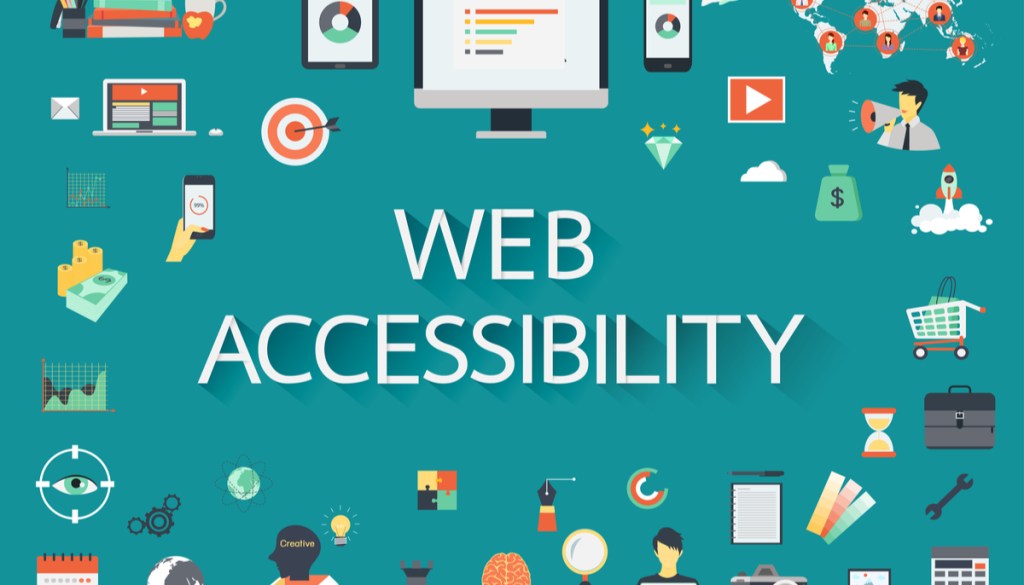
When creating my site, I plan to make it accessible to all online users by making my site really simply and organized. I plan to do this by making enjoyable content so that every user will understand what he or she is reading. Easy directions and tools will help me during this process such as tool bars, drop boxes, and comment sections. https://amnet-systems.com/amnet-techenabled-services/accessibility/accessibility-services-2/?gclid=EAIaIQobChMIiab71enX5wIVi5yzCh38hw8pEAAYAyAAEgJ9JvD_BwE This site is a great example of how an accessible site works and how it’s features are beneficial. Many sites such as this site are just a few great guides to use when making your website accessible. I also want to show my readers that I actually care about there needs and care about what may be important to them. My feedback will also be a big factor when dealing with my consumers. When I Create my site it’s going to be a diverse and friendly site that will lead to all people around the world showing them that someone actually cares about them.

Can you think of an example of access and accessibility not discussed in this module, but which we should all be aware of as web designers and users?

We should all be aware of the content we decide to put on our site as some information may be wrong or may affect people in ways that can be hurtful. A user friendly site might be the best decision when creating your site to avoid any problems or misunderstanding. An example that wasn’t discussed in this module is to create a site for those who are deaf by using colorful images and videos that displays pictures. https://www.w3.org/standards/webdesign/accessibility This website gives great examples and links within the site to demonstrate which direction to go when creating the accessibility website. The do’s and don’t are also great examples on this link. The site also includes the what, when, where and how aspect of the site.

Web Organization Tips At It’s Finest

“A tip is always great when it counts towards something.”

-Malyk Ervin

The 5 Tips Regarding the Organization of Website Design

When beginning a website the most important aspect is to be as organized as possible. Being error free will not only allow a successful website, but it will also guarantee great feedback. The first tip of being successful during the creation of your site is watching how many topics you put on your page. Having multiple topics may confuse the readers as they may have a hard time trying to follow your point. Secondly, strong headlines and verbs are also a way to create a solid web page, since the wording would give the audience confidence in what they are reading. The following page could help give insight into better ways to organize your page: https://www.smashingmagazine.com/2010/10/organization-tips-for-web-designers/ . The third tip is to tell the readers how they will benefit from your page. Giving the reader a better understanding to what’s going on within your website will give them a great opportunity to gain something from your page.

The fourth tip includes using varied sentence length and short paragraphs throughout your web page to keep the reader attentive and not bored with a long sentence. A great place to find information regarding in depth tips about improving your web page can be found at: https://www.impactbnd.com/blog/tips-for-improving-your-web-design. Finally, the last tip is the most important but yet the simplest. You should always edit your site every chance you get as this will keep your page as organized as possible.

A creative fashion site in weebly

“Creative minds have a unique ability to construct things of thought”

-Malyk Ervin

What features of Weebly make it useful to people learning web design?

When you begin creating your website through weebly you instantly notice all the different gadgets and tools that are available for use. The bold subtitles make it very useful for first time users who may become lost or stuck during the website building process. Weebly aslo uses imagery upload which makes it easy for users to upload a picture or video. The pages tab also is also a big help simply because weebly gives you the ability to create multiple webpages within one site itself. Here are some easy step by step instructions for creating your website https://www.websitebuilderexpert.com/website-builders/weebly/how-to-use-weebly/. Another cool feature weebly offers is the drag and drop feature which is another easy way build your page. You can simply drag a tool and place onto your website. This then gives you options on what to do inside the particular tool.

Set up your Weebly account (we will do this in class) and discuss the process.

During my process of creating my website, the first thing that caught my eye was the desgin layout. Weebly was very easy to read and had great instructions in leading me to create my website. Some of the things on the website were a bit tricky being that it was my first time using weebly. The type of website I am shooting for is almost like a fashion travel website. Here I will show how all the unique styles around the world all combine into one fashion bubble. This will give my readers insight on how styles may be very much different depending on the location. The process of using weebly itself isn’t a hard task at all and here https://weeblytutorials.com/ this website demonstartes why you should use weebly and what makes it an easy and useful site.

What theme did you choose and why? Do you think you will keep this theme or change it later?

The theme I chose was the event theme. I honestly chose this theme because of the inital look of it. I think the city back ground lured me in. I love the sight of bigger cities and how they are constructed so no doubt I wanted this theme. As of now, I’m pretty much locked in on my theme. I could possbily change it in the future if I have problems or if i’m not sure which way to take it, I would change it.

Blogging in the Fashion World

“A close mind will never blossom under the impression that the mind

is always stuck”

-Malyk Ervin

How can you apply the Do’s and Don’t and best practices described to your blog posts in this class?

When starting the process of creating a blog post you need to able to understand what kind of audience you are trying to attract. Many different blogs contain easy and understandable content which will make the readers life a bit easier. Applying particular Do’s and don’ts will no doubt help during this process. It’s almost like a set rules that you want to follow to become a great blogger. https://www.writersdigest.com/online-editor/the-12-dos-and-donts-of-writing-a-blog This link is just a few examples of some of the do’s and don’ts that will be beneficial when creating a new blog. These examples will be great points for me as I move along with my future blogs in this class. In the fashion world blogging could not only be a huge asset but it could also create new visions on how fashion may be viewed. Applying the Do’s in the case will ultimately setup a pathway for fashion readers to obtain new information from different people’s point of view. The don’ts however will give guidelines to avoid any situations that could potentially affect that specific audience. In my case that would be the fashion audience.

How could you apply them to your chosen career/ field?

Ofcourse applying these general rules will not only benefit me in the process of creating a blog but it will also be crucial in my career field. Becoming a blogger is something that I have always been interested in learning. In the TV industry some of these rules may apply simply because there are just somethings that may be appropriate while others are not depending on the television company. This may be applied to the social media world as well. So being aware of what content you put out plays a huge roll in whatever career or field you are seeking. Opposed to the fashion world these rules still apply in a way that responding to your reader or speaker comments could help your trajectory in the fashion field as meeting new people is proved to be helpful.

What steps will you take each week to ensure that your blog posts are readable, memorable, and worthwhile to your audience?

The best route that I would pursue to ensure that my blog posts are readable and memorable is simply taking my time on each of my post. This may be the simplest rule but I think many people may overlook that process. Moving at a stable pace will not only allow me to catch my errors but also give me a better look on how I may want to reel in my audience. Missing crucial points in your blog could be the difference between a great blog and a average blog. My next step would be collecting the type of content I would like to present to my audience. This may take a little more time as I try to focus on the content aspect of my blog. This could vary from information to design and even to organization. Here’s a link that gives you great steps in creating an awesome blog and a few pointers on what could make your blog stand out. https://www.wordstream.com/blog/ws/2015/02/09/how-to-write-a-blog-post .In my final step of ensuring a great blog post I simply take the time to review my post and make any necessary changes to any errors that I created.

Design a site like this with WordPress.com
Get started